

How to get auto height working on a vertical Swiper slider in Webflow, using Finsweet Components or Swiper.js, with three simple layout rules and no JavaScript.
Vertical sliders with auto-height are one of those things the internet collectively agrees are “not supported”.
Swiper’s docs don’t say how.
Finsweet, sort of, says no.
Forums are full of half-solutions, hacks, and mild despair.
And yet, it does work.
We hit this on a recent Webflow build that’s basically sliders all the way down. Horizontal swipers? Easy. Auto-height works out of the box. Vertical swipers? Different story.
The trick is understanding that Swiper is extremely picky about layout.
Here’s what actually makes it work:
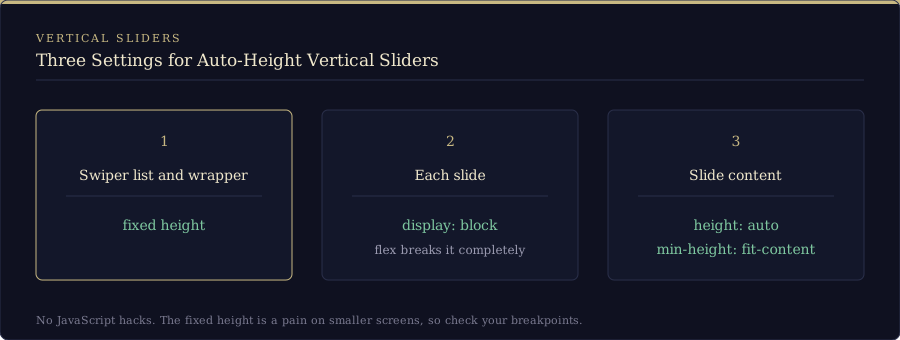
- The swiper list and its wrapper need a fixed height
- Each slide must be display: block (flex breaks it completely)
- The slide content needs height: auto with min-height: fit-content
That’s it. No JavaScript hacks. No resize observers. No weird duplication tricks.
Once those rules are in place, Swiper recalculates height correctly as slides change, even when each slide has wildly different content lengths.
One catch: that fixed height on the list and wrapper is a bit of a pain on smaller screens, so check your breakpoints.
The video above walks through the exact setup inside a Webflow component, including how to keep it flexible and reusable without hard-coding content. It works the same whether your vertical slider comes from the Finsweet Components library or from Swiper.js set up by hand.
Sometimes the docs just don’t say.
Sometimes the solution is just understanding what the browser actually wants.
If you’re fighting a vertical slider right now, you’re not crazy.
You just needed one small layout nudge in the right direction.
Sliders are a bit of a rabbit hole at the best of times. If you’re building your own slider controls, have a look at our post on custom slider controls in Webflow. If you want the motion to feel right, our visual guide to Webflow easing functions will help, and if the layout needs to scale with the screen, we also wrote about font sizes that adjust to both viewport width and height. Building a component you want to reuse? Take a gander at our Webflow cloneables.
Vertical slider auto height: quick answers
Can a vertical Swiper slider have auto height?
Yes. Swiper’s own docs only describe auto-height in general terms, but it works on a vertical slider once the swiper list and its wrapper have a fixed height, each slide is set to display: block, and the slide content uses height: auto with min-height: fit-content.
Why does display: flex break auto height on a vertical slider?
In our testing, Swiper couldn’t calculate the slide height when the slide itself was a flex container, and switching the slide to display: block fixed it. Height values like max-content didn’t work for us either, so stick with height: auto and min-height: fit-content.
Does this work with the Finsweet slider component?
It did on our build, where the sliders were Finsweet Components built on Swiper.js. The same three rules apply if you set up Swiper.js yourself in Webflow.