


How to do programmatic SEO in Webflow: build CMS landing pages at scale for competitor comparison keywords, with a worked example, best practices and an FAQ.
Programmatic landing pages are pages generated at scale from a template and a set of data, with each page built around one specific search term. By targeting your competition, you can create landing pages that are designed to attract potential customers who are already interested in what your competitors have to offer. This can help you boost your SEO and increase your chances of converting those visitors into customers. Simply put, programmatic SEO in Webflow is an execution strategy used to target thousands of long-tail keywords by building a large amount of landing pages at scale. For example, creating thousands of pages for “things to do in \[city-name\]” search terms.
We'll cover:
- Why programmatic Webflow landing pages are important for SEO
- How to identify your competition
- How to create programmatic Webflow landing pages that target your competition
- Example: creating competitor comparison pages
- Best practices for optimising programmatic landing pages
Why programmatic Webflow landing pages are important for SEO
Programmatic Webflow landing pages are important for SEO because they allow you to create highly targeted pages that are designed to rank well in search engines. By targeting specific keywords and phrases that your competitors are already ranking for, you can increase your chances of appearing in search results, and because they are generated dynamically by populating Webflow CMS template pages you can generate large volumes easily.
In addition, programmatic landing pages can help you improve your website's overall user experience. By tailoring your content to the specific search intent and interests of your visitors, you can create a more engaging and relevant experience that encourages them to stay on your site longer.
One word of warning before you go wild with volume. Google's spam policies call out “scaled content abuse”, which it describes as “when many pages are generated for the primary purpose of manipulating search rankings and not helping users”. Programmatic pages are fine, but only when every page has something genuinely useful on it. Read the Google Search spam policies before you hit import.
How to identify your competition
Before you can create programmatic landing pages that target your competition, you need to identify who your competitors are. This can be done by conducting a competitive analysis, which involves researching your industry and identifying other businesses that offer similar products or services.
To conduct a competitive analysis, start by identifying your top keywords and phrases. Use a tool like Google Keyword Planner, Google Trends or Semrush (a free account will do) to see which keywords your competitors are already ranking for. Once you have a list of your competitors, visit their websites and analyse their content, messaging, and overall user experience.
How to create programmatic Webflow landing pages that target your competition
Once you have identified your competition, it's time to start creating programmatic Webflow landing pages that target them. Here's how to do it:
- Choose your keywords: Start by choosing the keywords and phrases that you want to target. These should be keywords that your competitors are already ranking for and that are relevant to your business.
- Create your landing page template: Using Webflow, create a landing page template that you can use to create programmatic landing pages. This should include all of the elements that you want to include on your landing pages, such as your headline, subheadlines, images, and call to action. Your friendly neighbourhood Webflow expert can do this.
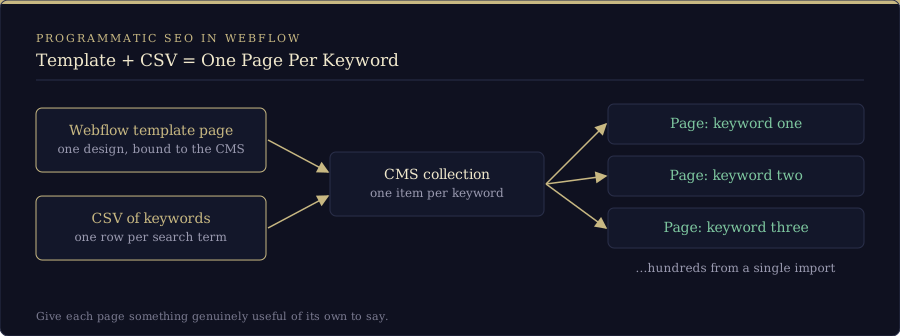
- Set up your targeting: Next, decide how each page targets its keyword. In Webflow that means a CMS collection with one item per keyword or competitor, bound to the template page, so each item becomes its own page aimed at that search term. If you also want to show different content to different visitors, for example those who searched for a specific keyword or clicked an ad, you can do that with personalisation or dynamic content tools on top. Keep in mind though that our main goal here is to conquer SEO so most of the traffic to a landing page will come straight from organic search, but you can use the content from those pages in targeted dynamic content elements on the rest of the site as well.
- Create your landing pages: Once your targeting is set up, start creating your landing pages using your template. Make sure to tailor your content and messaging to the specific search term and the intent behind it for each page.
Example: creating competitor comparison pages
One effective way to use programmatic landing pages to target your competition is by creating competitor comparison pages. These pages compare your product or service to those of your competitors, highlighting your unique value proposition and differentiators, and show in search when potential clients are looking for them, their products or comparisons.
To create these pages, you can use a CSV file that contains all the data you need for each competitor comparison. The CSV file can include information such as product features, pricing, and customer reviews. By creating these sheets in something as simple as Excel, exporting to CSV, and then importing to Webflow, hundreds of pages can be created during a single import in minutes.
Using Webflow, you can then generate one landing page per competitor comparison, dynamically populating the page with the relevant data from the CSV file. This allows you to create highly targeted landing pages that are tailored to the specific search intent of your visitors.
For example, let's say you own an online clothing store and want to create competitor comparison pages for your men's shoes category. You could create landing pages that compare your shoes to those of your top three competitors, based on search volume and market share.
Using a CSV file, you could include information such as shoe size availability, material quality, and price point for each competitor. When a visitor clicks on one of the comparison pages, they would be shown a side-by-side comparison of your product and the competitor's product, highlighting the features and benefits that make your product stand out. Consider that this is a simplified example and things can get very creative and complex when one uses the Webflow CMS and API to generate pages en masse.
This type of programmatic landing page can help boost your SEO by targeting specific keywords and phrases that your competitors are already ranking for. It can also improve your website's overall user experience by providing visitors with a relevant and engaging experience that encourages them to stay on your site longer. Shoes are probably not the most compelling example, but they give us an easy way to highlight how you can make your product stand out based on specific factors. These types of comparisons work great and can be spun up in large quantities. SaaS platforms in particular love creating these types of programmatically generated pages, take HubSpot, I looked for 3 random CRMs to compare and HubSpot had a page for each one I searched for, you could do this for days, they have every angle covered and it works amazingly well for especially that type of product where users are prone to Google comparisons.
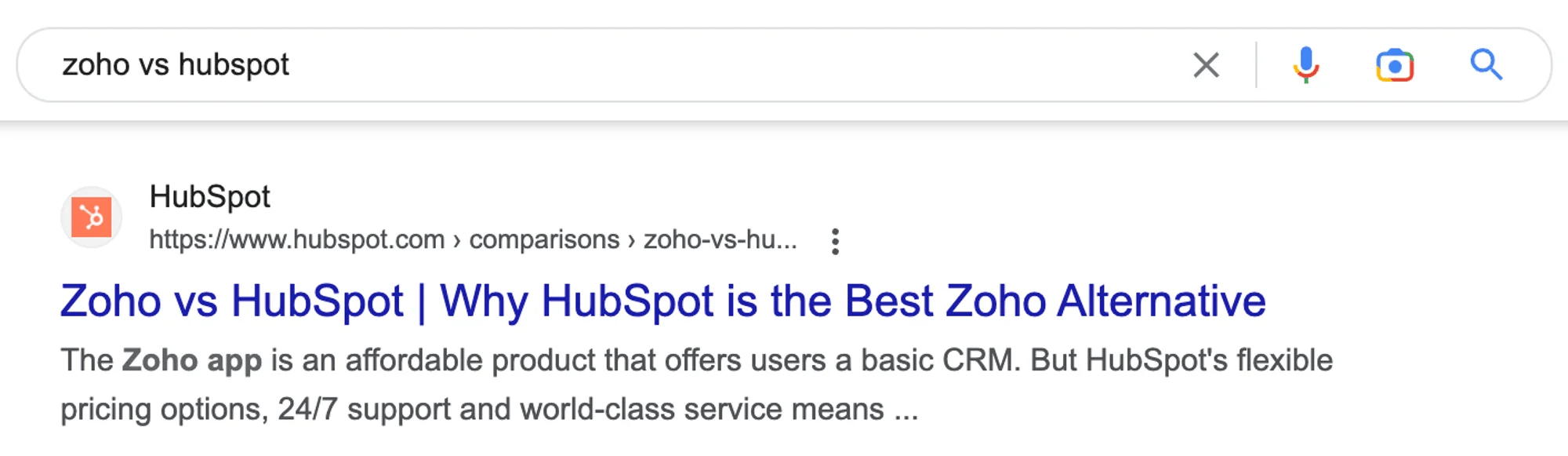
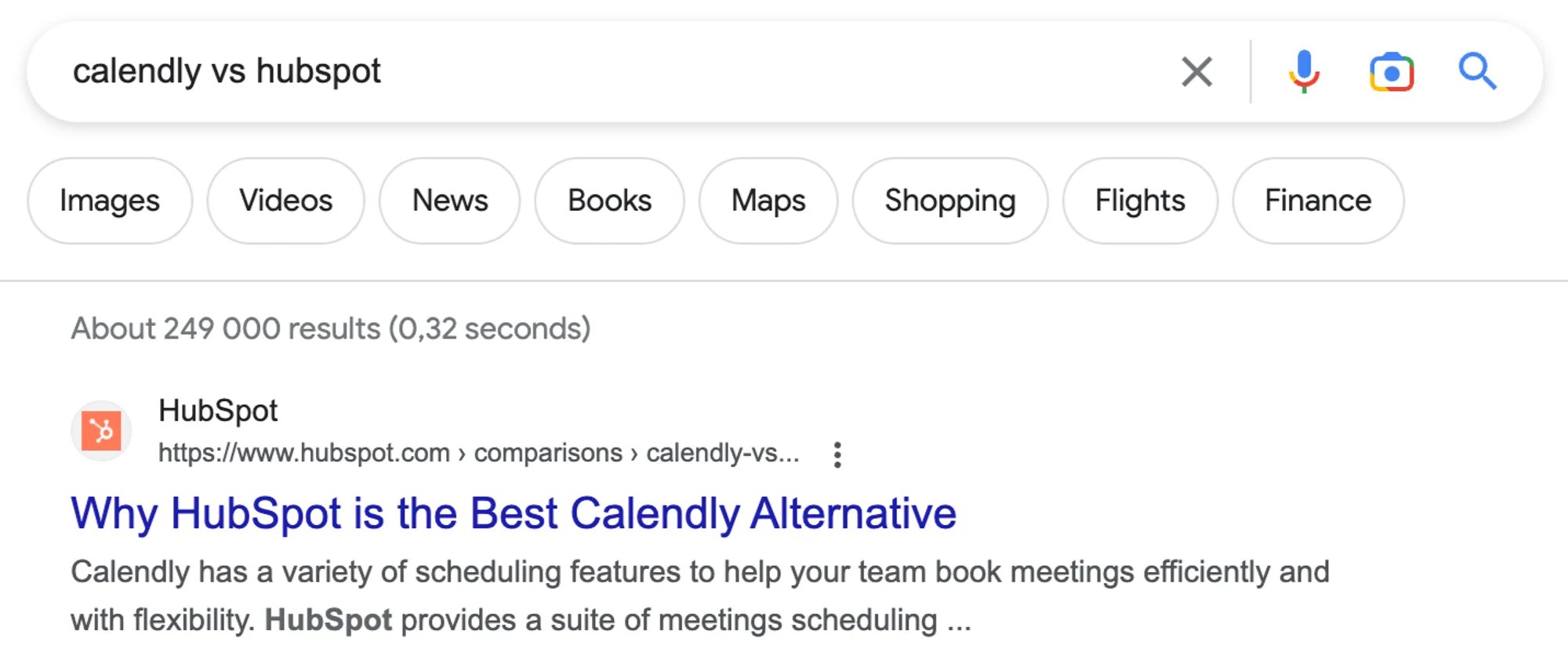
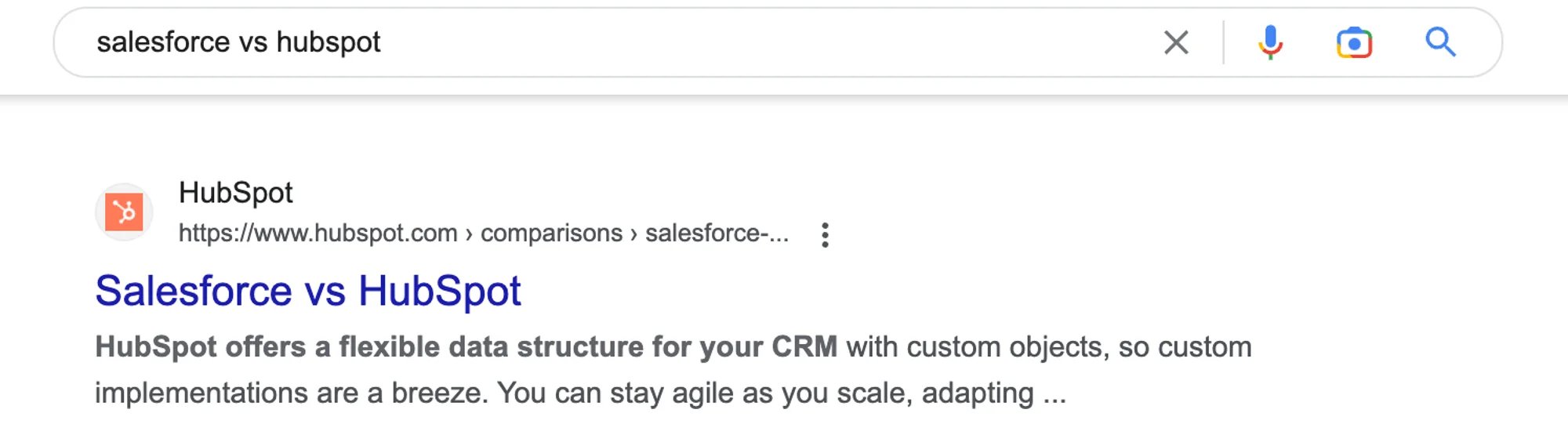
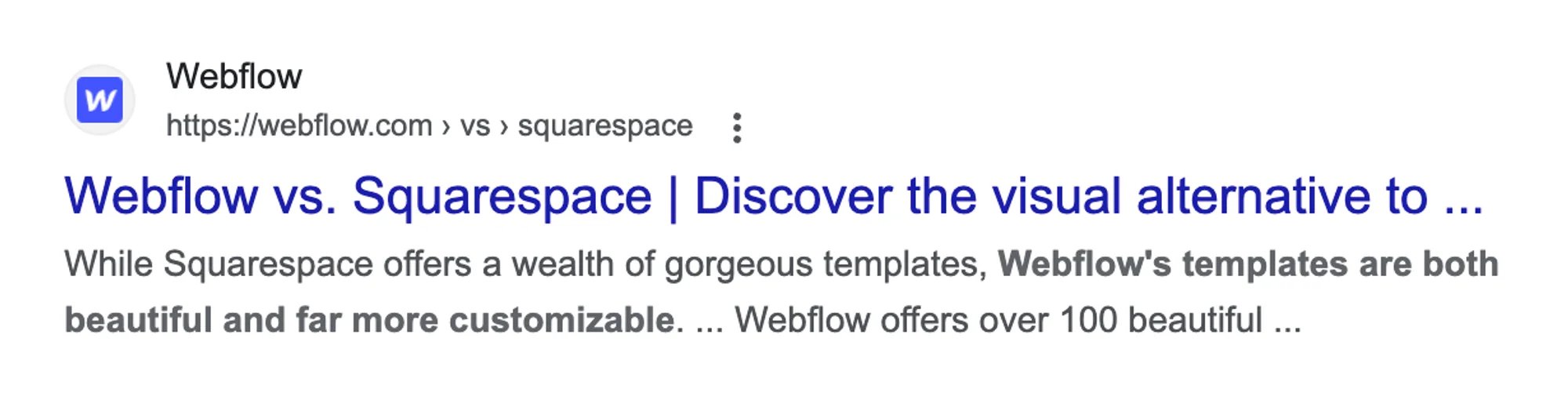
Even Webflow uses this strategy:
Best practices for optimising programmatic landing pages
To get the most out of your programmatic landing pages, follow these best practices:
- Use clear and compelling headlines and subheadings that grab visitors' attention and clearly convey your message.
- Keep your messaging consistent with your branding and overall website design.
- Use high-quality images and videos to make your landing pages more engaging and visually appealing.
- Include a clear call to action that encourages visitors to take the desired action, whether that's making a purchase, filling out a form, or contacting you. The CTA is king here.
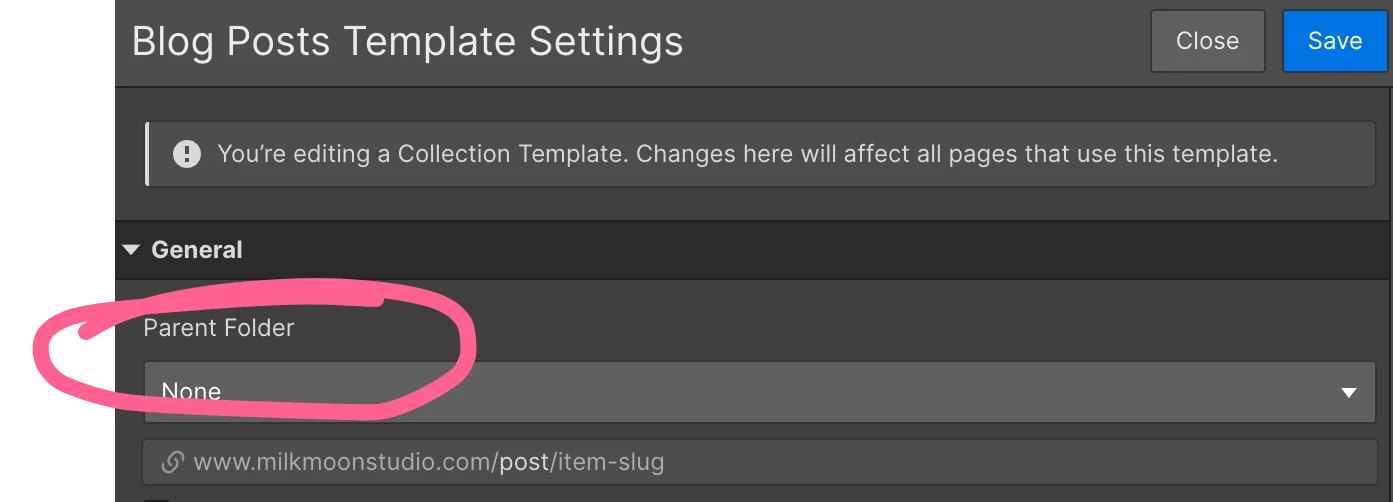
- Test and optimise your landing pages over time to improve their performance. Use tools like Google Analytics to track metrics like bounce rate, time on page, and conversion rate, and make adjustments as needed. Use Semrush or Ahrefs for suggestions and monitor Search Console closely, a good strategy in Google Search Console is to add the landing page folder as a separate property under your main domain to make things easier. So, your main property would be milkmoonstudio.com, but you would also add https://milkmoonstudio.com/landing-pages/ or https://milkmoonstudio.com/comparisons/, whatever folder structure you're using. With collection lists now also able to sit in folders you can get really specific, so thanks for allowing us to finally just assign a parent folder Webflow 🌟
- Keep an eye on speed and on how you track. Hundreds of near-identical pages are a good reason to read our post on using Tag Manager delayed triggers to improve page speed, and to run your new pages through our free AEO and SEO scanner once they're live, so you can see how search engines and AI answer engines read them. If you're adding structured data to your templates, have a look at our audit of Webflow's AI-generated schema first.
FAQs
Q: What is programmatic SEO in Webflow?
A: Programmatic SEO in Webflow means using the CMS to generate many landing pages from one template and one set of data, each aimed at a specific long-tail keyword, such as a competitor comparison or a “things to do in \[city-name\]” search.
Q: How do programmatic landing pages differ from traditional landing pages?
A: Programmatic landing pages are generated at scale from a template and a data set, with each page aimed at a specific search term, while traditional landing pages are built one at a time and typically have a one-size-fits-all approach. There are a number of tools you can use to alter page content on the landing pages themselves and also bring content from the pages onto the rest of your site.
Q: Can programmatic landing pages really help boost my SEO?
A: Yes, as long as each page is genuinely useful. By targeting specific keywords and phrases that your competitors are already ranking for, you can increase your chances of appearing in search results and driving more traffic to your website.
Q: What is the best way to do programmatic SEO with Webflow?
A: Start with a keyword list, build one CMS template page, put your data in a spreadsheet, import it as a CSV, and give each page something of its own to say. Then watch the results in Search Console and improve the template over time.
Q: Do I need to have a lot of technical expertise to create programmatic landing pages?
A: Not necessarily. Webflow makes it easy to create programmatic landing pages without needing to know how to code. However, having a basic understanding of web design and marketing best practices can be helpful.
Creating programmatic Webflow landing pages that target your competition is a powerful way to boost your SEO and attract more customers to your business. By tailoring your content and messaging to the specific search intent and interests of your visitors, you can create a more engaging and relevant experience that encourages them to take action. Follow the best practices outlined in this article and start experimenting with programmatic landing pages to see how they can help you achieve your SEO and business goals, chat to your Webflow designer or Webflow partner about creating the template for you and just experiment, this is a low cost strategy for low hanging organic traffic.