

Webflow's AI will write your structured data in one click. It'll also confidently make some of it up — here's our honest, page-by-page take.
Webflow quietly gave everyone a little gift recently: an AI button that generates JSON-LD structured data for your pages. Click it, and out pops a tidy block of schema markup, the stuff that helps Google understand what your page actually is, and occasionally rewards you with those nice rich results in search. Of copurse also very useful for AI's these days
It's genuinely handy. It's also, if you trust it blindly, a great way to quietly tell Google a pile of things that aren't true.
We know this because we recently ran the generator across a full client site rebuild, close to a 100 static pages alone, and checked every single block by hand against the live content. Here's what we found, minus the client's name, because nobody needs their fabricated star ratings on the public record.
First, the good news
It's not a bad tool. For most pages it produces valid, sensibly-typed schema that would've taken a junior dev twenty minutes to hand-write. It picks reasonable types, nests things correctly, escapes its special characters, and generally gets the shape right. If you've never touched structured data, it's a far better starting point than a blank text field and a tab open to schema.org.
The keyword in that paragraph is starting point. Because the moment you check its work, the cracks show.
One big caveat that needs to be mentioned is that this is not a back and forth, this is simply a click and you get what you get. So no saying yeah I want the article schema, or breadcrumbs. Webflow decides via some system prompt and then you can edit, replace, or add.
The bad news, in ascending order of "oh no"
1. It invents things that aren't on the page
This is the big one. The generator doesn't just describe your page — it embellishes. On more than one page it produced glowing customer reviews, complete with names and 5-star ratings, for testimonials that did not exist anywhere on that page. It pulled them from elsewhere on the site and presented them as if they lived there.
Google's structured data guidelines are blunt about this: review markup has to reflect content actually visible on the page. Marking up reviews that aren't there isn't a technicality — it's the kind of thing that earns a manual penalty. The AI has no idea it's doing anything wrong. It's pattern-matching "this is a marketing page, marketing pages have testimonials" and helpfully filling in the blank.
2. It fabricates star ratings out of thin air
Repeatedly, across multiple pages, the generator added an aggregateRating — a star rating — to the company's own services. Self-reviewing, in other words, which Google stopped rewarding with rich snippets years ago and now treats as spam.
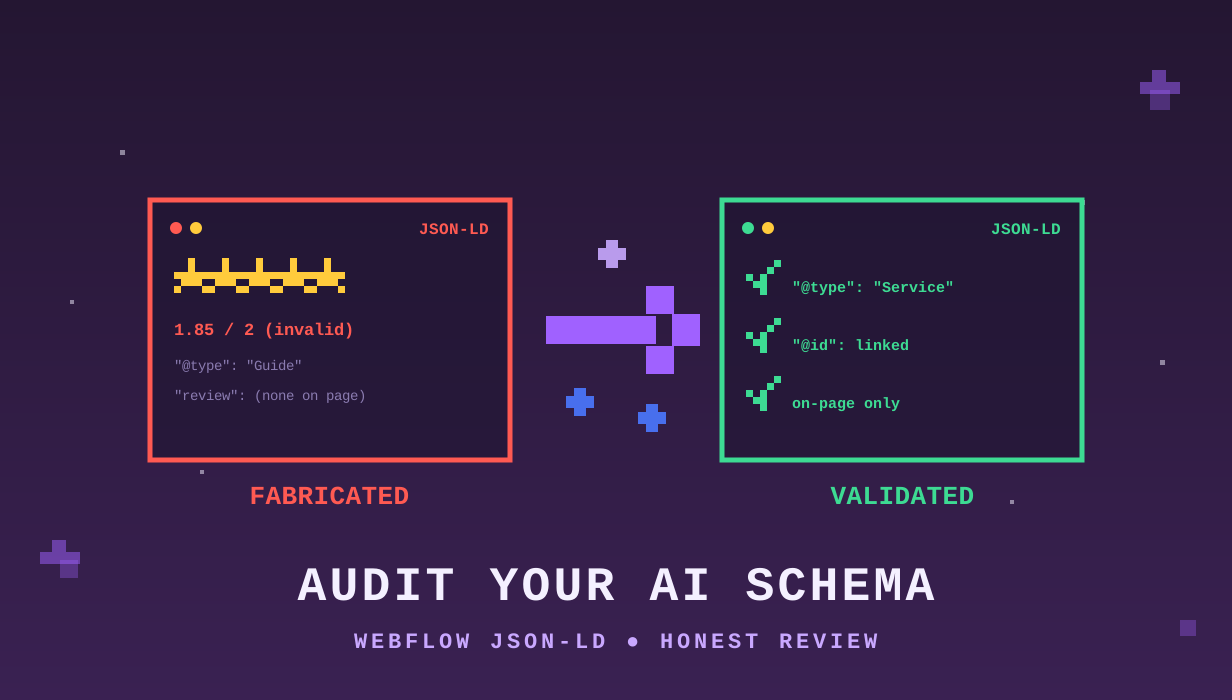
But the best example deserves its own paragraph. On one page, a marketing stat — "1.85× higher retention engagement" — got crammed into a rating field as ratingValue: 1.85, bestRating: 2. The AI saw a number, recognised that ratings have numbers, and welded the two together. To Google, that reads as a 1.85-out-of-2 star rating (roughly 92%) from a single phantom review. It is not a rating. It was never a rating. It's a retention metric wearing a costume.
3. It loves FAQ schema a little too much
FAQPage markup is catnip for the generator. The trouble is it can't reliably tell the difference between an actual FAQ section and a bunch of text it has decided to phrase as questions.
On the pages that genuinely had an FAQ, the markup was great — accurate, valid, useful. On the pages that didn't, it simply manufactured a Q&A out of feature blurbs and statistics. Same schema type, completely opposite verdict, and the only way to tell them apart is to actually look at the page. (Worth noting: Google killed FAQ rich results for non-government/health sites back in 2023, so even the legitimate ones won't show stars in search anymore — they're now mostly useful for AI and machine readability. But fake ones are still a guidelines problem.)
4. It reaches for invalid types
One page proudly declared itself a Guide. There is no such thing as a Guide in the schema.org vocabulary. A validator either errors or silently bins the whole block. The correct type was Article, which a human would've known and the AI confidently did not.
5. The small stuff that adds up
- Placeholder social links. Half the pages shipped with
sameAsprofiles pointing atinstagram.com/companyname-style guesses that weren't the company's actual accounts. Tell Google the wrong social profiles and you actively damage entity recognition. - Wrong meta descriptions, copy-pasted. Several pages carried a different page's description verbatim. The AI faithfully reproduced the mistake into the schema instead of catching it.
- Mangled details. A percentage fee ("5.5%") encoded as
5.5 USD— i.e. five dollars fifty. A registered trademark (®) downgraded to an unregistered one (™) in one spot. A quote attributed to the wrong person because two testimonials got their wires crossed.
None of these is catastrophic alone. Stacked across twenty pages, they're a long afternoon of cleanup — and every one of them would've shipped silently if nobody looked.
So is it useless? No.
Here's the honest verdict: Webflow's AI schema generator is a competent drafting assistant and a terrible final authority.
It's brilliant for the 80% that's structural boilerplate — the right type, the right nesting, the right syntax. It falls apart on the 20% that requires actually understanding the page: is this review real, is this a rating or a stat, does this FAQ exist, is this the right description. And that 20% is precisely where the SEO risk lives.
The failure mode is seductive, too. The output looks authoritative. It's well-formatted, it validates more often than not, and it radiates competence. If you don't know what to look for, you'll paste it, publish it, and never know you just told Google your company gave itself 1.85 out of 2 stars.
How to actually use it
We're not telling you to avoid it — we used it, and it saved us real time. We're telling you to treat it like a sharp intern: great first draft, check everything before it goes out.
A quick sanity pass before you publish anything it generates:
- Every review or rating — is it literally on this page? If not, delete it. No exceptions.
- Any
aggregateRatingon your own product/service? Delete it. Self-reviews don't earn rich results and risk a spam flag. FAQPage— does a real FAQ exist on the page? If yes, check the answers match. If no, remove it.- Check the type is real. Paste it into the Schema Markup Validator and Google's Rich Results Test. Both are free and take thirty seconds.
- Eyeball the
sameAslinks, the meta description, and any prices. These are where the silent errors hide.
Structured data is one of the highest-leverage things you can do for how AI and search engines understand your brand — far more so than the llms.txt files everyone's currently arguing about. But its entire value rests on it being true. An AI that confidently fills in plausible-but-fictional details is, for this specific job, working against you the moment you stop checking.
Use the button. Just don't trust the button. If anything, have another AI check it if you're not great at scanning JSON.
We build Webflow sites for a living, which mostly means we spend our days finding out which shiny new features are ready for production and which ones need a chaperone. This one needs a chaperone.